AADHAAR APP
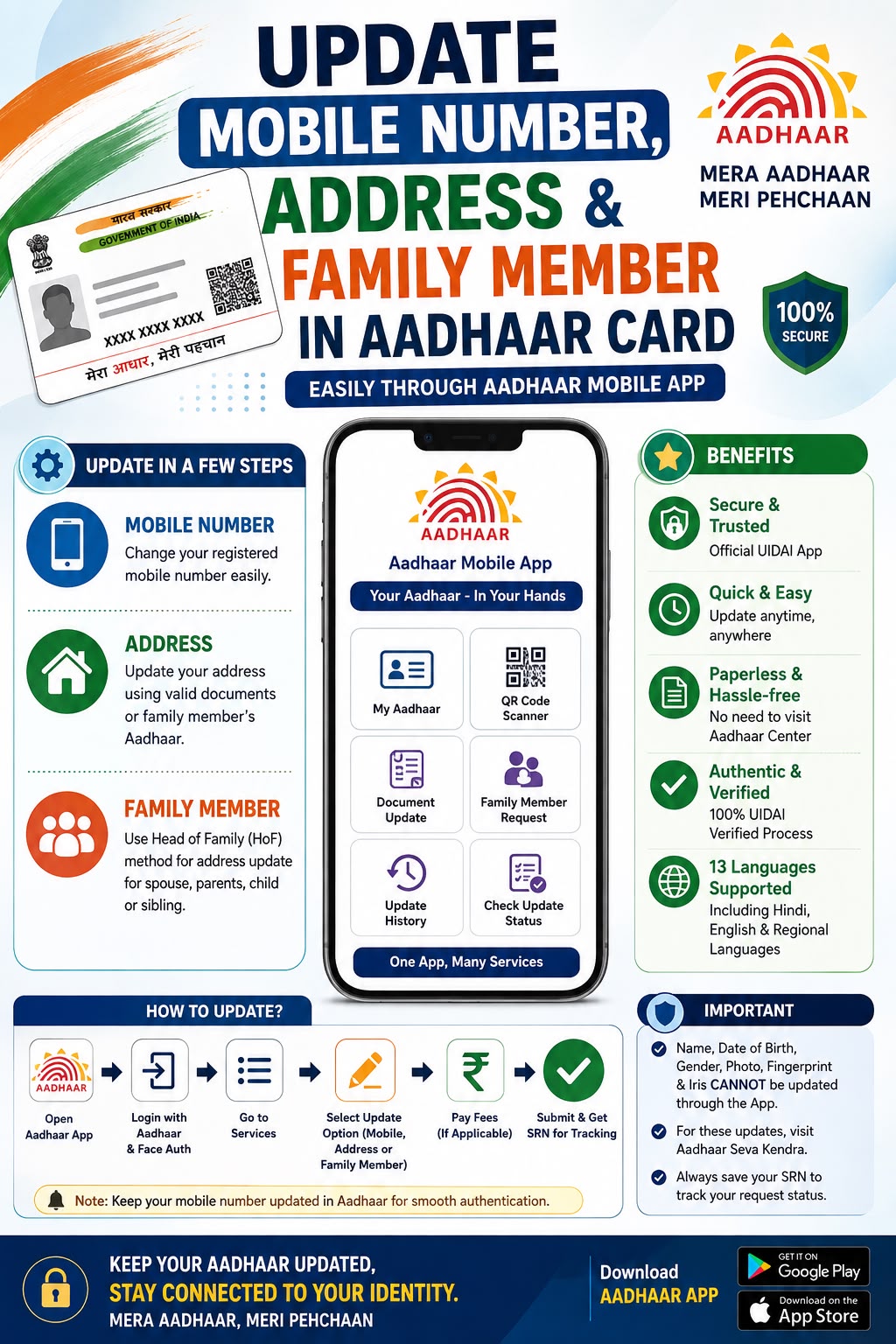
The official Aadhaar mobile app by UIDAI lets eligible residents update their registered mobile number and address, including address update through the Head of Family (HoF) method.
Review the information below before continuing to the official website.
About AADHAAR APP
The Aadhaar App is UIDAI's official mobile application that makes certain Aadhaar update services more convenient for residents.
Eligible users can update their registered mobile number and residential address directly through the app, with OTP and Face Authentication used for verification.
The app also supports address updates using the Head of Family (HoF) method, where an eligible family member's Aadhaar address can be used as supporting proof.
Who Can Apply?
Aadhaar holders with a registered or accessible mobile number
Residents wanting to update mobile number or address
Applicants using the Head of Family method must have an eligible family member willing to approve the request
Users who meet the requirements of the selected update service
Benefits & Uses
📱 Update registered mobile number online
🏠 Update residential address online
👨👩👧 Address update via Head of Family (HoF) method
🔎 Track update requests using the Service Request Number (SRN)
🔒 OTP and Face Authentication based verification
Documents Required
Aadhaar number
Registered or accessible mobile number
Proof of Address where applicable
Head of Family's Aadhaar details where applicable
Other documents required for the selected update
Application Details
Things to Check Before Applying
Install the Aadhaar App from the official Google Play Store or Apple App Store.
Keep your Aadhaar number and accessible mobile number ready.
Keep an acceptable Proof of Address ready if updating address.
For Head of Family updates, confirm the family member is available to approve the request.
Carefully review all details before submitting the request.
Save the Service Request Number (SRN) after submission.
Important Information
Some updates, such as biometric or photograph changes, are not available through the app and require a visit to an authorised Aadhaar centre.
Never share Aadhaar OTPs, app PINs or authentication details with anyone.
Use only the official Aadhaar App downloaded from the official app stores.
Frequently Asked Questions
What can I update using the Aadhaar App?+
Eligible users can update their registered mobile number and residential address, including address update via the Head of Family method.
What is the Head of Family (HoF) method?+
It allows a person to update their Aadhaar address using an eligible family member's Aadhaar address, with the family member's approval, when the applicant does not have separate address proof.
What if I don't have access to my registered mobile number?+
You may need to visit an authorised Aadhaar enrolment or update centre for assistance.
How do I track my update request?+
Save the Service Request Number (SRN) provided after submission and use it to track the status of your request.
Verify the latest information
Government procedures, eligibility requirements, documents and application processes may change. Please verify the latest information with the relevant official authority before submitting an application.
Ready to Continue?
Review the information above and continue to the official website for the latest application process, requirements and updates.
Need Help Applying for This Service?
Submit your details to request assistance from our team. Our team will contact you regarding your selected service.